Elyndarin Kryvak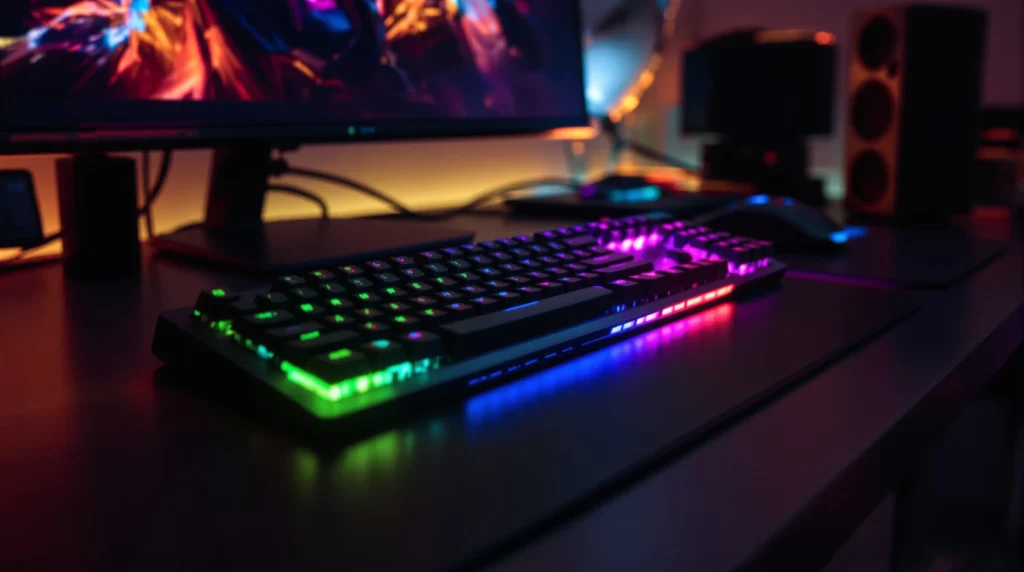
Picture this: It’s 2 a.m. Your hands ache from hours of gaming, your fingers fumble a crucial combo, and you lose the match. You stare at your keyboard, wishing for something better. That’s where gaming keypads come in. If you’ve ever wondered why some players seem to move faster, react quicker, and pull off wild maneuvers with ease, here’s the secret nobody tells you—gaming keypads can change the way you play, for real.
What Are Gaming Keypads?
Gaming keypads are compact, one-handed devices designed for gamers who want speed, comfort, and control. Unlike a full keyboard, a gaming keypad gives you a cluster of programmable keys, often with ergonomic shapes and extra features like thumbsticks or wrist rests. Think of it as a power tool for your left hand—built for gaming, not typing emails.
Why Do Gamers Use Keypads?
If you’ve ever cramped your hand trying to hit awkward key combos, you know the pain. Gaming keypads solve this. They let you map your most-used commands to easy-to-reach buttons. No more stretching for that far-off key or missing a spell because your finger slipped. Here’s why gamers swear by them:
- Speed: Fewer keys, closer together, means faster reactions.
- Comfort: Ergonomic shapes reduce hand fatigue during long sessions.
- Customization: Program keys for macros, combos, or even system shortcuts.
- Focus: No distractions from unused keys—just what you need, right where you want it.
Here’s the part nobody tells you: Once you get used to a gaming keypad, going back to a regular keyboard feels like running in sand.
Who Should Use a Gaming Keypad?
Gaming keypads aren’t for everyone. If you play mostly casual games or prefer controllers, you might not need one. But if you’re into fast-paced shooters, MOBAs, or MMOs, and you want every edge you can get, a gaming keypad could be your new best friend. They’re especially great for:
- PC gamers who play competitive titles
- Streamers who need quick access to commands
- Players with limited desk space
- Anyone who wants to reduce hand strain
If you’ve ever struggled to hit the right key at the right time, or if you want to shave milliseconds off your reaction time, keep reading.
Key Features to Look For
Not all gaming keypads are created equal. Some are loaded with features, while others keep it simple. Here’s what to watch for:
- Programmable Keys: The more, the better—look for at least 15-20.
- Mechanical Switches: These give you tactile feedback and last longer than membrane keys.
- RGB Lighting: Not just for looks—color coding helps you find keys fast in the dark.
- Onboard Memory: Save your profiles and macros directly to the device.
- Thumb Controls: Extra joystick or D-pad for movement or camera control.
- Wrist Rest: Essential for comfort during marathon sessions.
Here’s why these matter: A keypad with the right features can shave seconds off your actions, keep your hand comfortable, and even help you avoid injuries like carpal tunnel.
Popular Gaming Keypads (With Real-World Examples)
Let’s break it down with some specifics. Here are a few gaming keypads that gamers rave about:
- Razer Tartarus V2: 32 programmable keys, mecha-membrane switches, customizable RGB, and a comfy palm rest. Great for MMOs and shooters.
- Logitech G13 (discontinued but still loved): 25 programmable keys, LCD display, and a thumbstick. Many gamers still hunt for these on eBay.
- Redragon K585 DITI: 42 keys, mechanical switches, and a detachable wrist rest. Budget-friendly and reliable.
- Delux T9: 46 keys, simple design, and plug-and-play setup. Perfect for beginners.
Each of these gaming keypads has its own quirks. Some users love the clicky feel of mechanical switches, while others want silent keys. Some want a thumbstick, others don’t care. The lesson? Try before you buy if you can, or read lots of reviews from real gamers.
How to Set Up Your Gaming Keypad
Getting started is easier than you think. Here’s a quick guide:
- Plug in your gaming keypad (usually USB).
- Install the manufacturer’s software (like Razer Synapse or Logitech Gaming Software).
- Map your most-used commands to the most comfortable keys.
- Set up macros for complex combos or repetitive actions.
- Test your setup in-game and tweak as needed.
Pro tip: Don’t try to remap everything at once. Start with your top five actions, get used to them, then add more as you go. You’ll avoid overwhelm and build muscle memory faster.
Common Mistakes and Lessons Learned
Here’s where I’ll get real. The first time I tried a gaming keypad, I mapped every key to something new. Total chaos. I spent more time looking down than playing. The fix? Start simple. Map only what you need, and let your hand learn the layout. Another mistake: ignoring the wrist rest. Trust me, your hand will thank you after a long session.
If you’re switching from a regular keyboard, expect a learning curve. You might feel slower at first. That’s normal. Stick with it for a week, and you’ll start to see the payoff—faster reactions, fewer mistakes, and maybe even a few “how did you do that?” messages from your friends.
Are Gaming Keypads Worth It?
Let’s be honest. Gaming keypads aren’t magic. They won’t turn you into a pro overnight. But if you want more control, comfort, and speed, they’re a smart investment. For some, they’re a game-changer (pun intended). For others, they’re a fun experiment. If you’re serious about gaming and want every edge, give one a try. If you’re happy with your keyboard, that’s cool too.
Here’s the bottom line: Gaming keypads are for players who want to push their skills, reduce hand strain, and enjoy a more comfortable, focused gaming experience. If that sounds like you, it’s time to see what a gaming keypad can do.
Next Steps: Choosing Your First Gaming Keypad
Ready to try a gaming keypad? Here’s what to do next:
- Set a budget—prices range from $30 to $150+
- Decide which features matter most (mechanical switches, RGB, thumbstick, etc.)
- Read reviews from gamers who play your favorite titles
- Test one in-store if possible, or buy from a retailer with a good return policy
If you’ve ever felt held back by your keyboard, a gaming keypad could be the upgrade you never knew you needed. Give it a shot, and you might just surprise yourself—and your squad.
About Author


 Robert Mueller